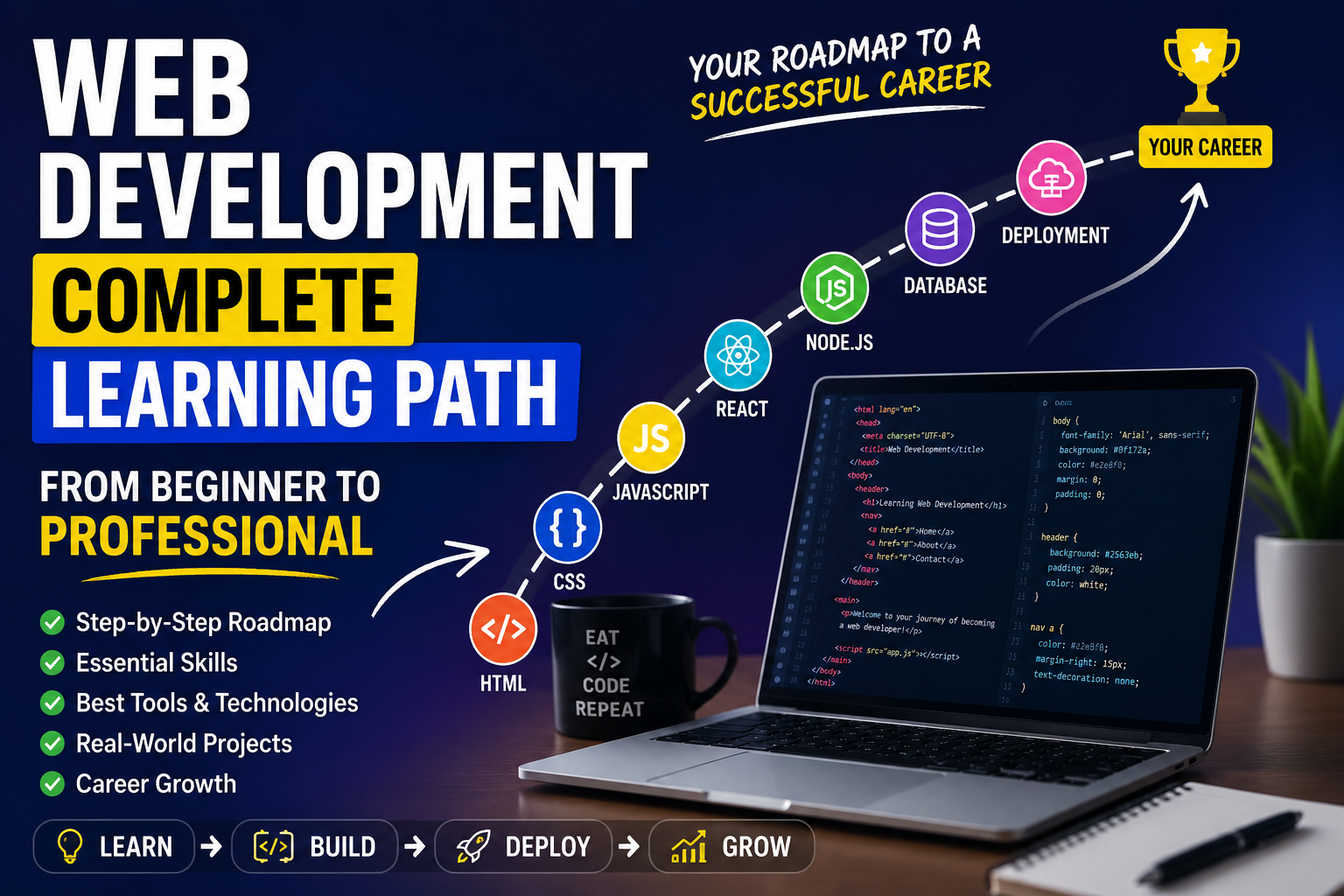
Web development is one of the most exciting and rewarding fields in technology. Every website you visit, every online store you shop from, and every web application you use is the result of countless hours of development work. As businesses continue to expand their digital presence, the demand for skilled web developers remains stronger than ever.
For beginners, however, the journey can feel overwhelming. A simple search for “how to become a web developer” often leads to endless lists of programming languages, frameworks, tools, and certifications. The sheer amount of information can make it difficult to know where to begin.
The key to success is not learning everything at once. Instead, focus on building a strong foundation and gradually expanding your knowledge. This guide provides a complete learning path that takes you from the basics of web development to the skills required for building professional web applications.
Understanding the Fundamentals of the Web
Before learning any programming language, it’s helpful to understand how the internet works.
When a user visits a website, their browser sends a request to a server. The server processes the request and sends back the files needed to display the webpage. This exchange happens within seconds and forms the basis of every web application.
Some important concepts to learn at this stage include:
- How browsers interpret and display web pages
- The role of web servers
- HTTP and HTTPS protocols
- Domain names and DNS
- Web hosting services
- Client-side and server-side processing
Having a basic understanding of these concepts will make future topics much easier to grasp.
Learning HTML: Building the Structure
HTML is the first technology every aspiring web developer should learn. It provides the structure and content of a webpage, much like a blueprint for a building.
With HTML, you can create:
- Page headings
- Paragraphs
- Images
- Navigation menus
- Hyperlinks
- Forms
- Tables
As you progress, pay special attention to semantic HTML. Using meaningful tags improves accessibility and helps search engines better understand your content.
Practice Projects
A few beginner-friendly projects include:
- Personal profile website
- Online résumé
- Simple business homepage
- Product information page
The goal is to become comfortable creating webpage layouts without relying on templates.
Learning CSS: Designing Beautiful Websites
Once you’ve learned how to structure content, it’s time to make it visually appealing.
CSS controls the appearance of a website and allows developers to customize everything from colors and typography to layouts and animations.
Start with the basics:
- Colors and backgrounds
- Fonts and typography
- Margins and padding
- Borders and shadows
- Positioning elements
After mastering the fundamentals, move on to modern layout techniques such as Flexbox and CSS Grid.
Responsive Design
Today, users access websites from various devices. A modern website must adapt seamlessly to smartphones, tablets, and desktop screens.
Responsive design techniques ensure your websites provide an excellent user experience regardless of screen size.
Learning JavaScript: Making Websites Interactive
A website built only with HTML and CSS is static. JavaScript adds functionality and allows users to interact with the page.
This is where web development begins to feel more like software development.
Key topics include:
- Variables and data types
- Functions
- Arrays and objects
- Loops and conditions
- Event handling
- DOM manipulation
Once you’ve mastered the basics, explore advanced JavaScript concepts such as:
- Asynchronous programming
- Promises
- Async/Await
- API requests
- ES6+ features
These skills will enable you to build dynamic and engaging web experiences.
Projects for Practice
Building projects is one of the best ways to reinforce what you’ve learned.
Consider creating:
- Calculator application
- To-do list manager
- Quiz game
- Digital clock
- Weather application
Each project introduces new challenges and strengthens your problem-solving abilities.
Learning Git and GitHub
Professional developers rely on version control systems to manage code changes and collaborate with others.
Git allows developers to track modifications to their projects, while GitHub provides a platform for storing repositories online.
Essential concepts include:
- Creating repositories
- Committing changes
- Branching workflows
- Merging code
- Pull requests
Developing the habit of using Git early will save time and improve your workflow as projects become more complex.
Exploring Frontend Frameworks
After gaining confidence with JavaScript, the next step is learning a frontend framework.
Frameworks simplify development and help developers build large-scale applications more efficiently.
React is currently one of the most widely used frontend libraries in the industry.
Important React concepts include:
- Components
- State management
- Props
- Hooks
- Routing
- API integration
Building projects with React will teach you how modern web applications are structured and maintained.
Learning TypeScript
As applications grow, managing JavaScript code can become increasingly difficult.
TypeScript enhances JavaScript by introducing static typing, which helps identify errors during development rather than after deployment.
Advantages of TypeScript include:
- Better code organization
- Improved maintainability
- Enhanced development experience
- Reduced runtime errors
Many companies now consider TypeScript an essential skill for frontend and full-stack developers.
Understanding Backend Development
While frontend development focuses on what users see, backend development powers everything behind the scenes.
The backend is responsible for:
- Processing requests
- Managing databases
- Handling authentication
- Performing business operations
- Delivering data to the frontend
A popular backend learning path is Node.js with Express because it allows developers to use JavaScript throughout the entire application stack.
Other backend technologies include:
- Django
- Flask
- Laravel
- Spring Boot
- ASP.NET
The specific framework matters less than understanding the core principles of backend development.
Learning Databases
Most applications need to store and retrieve information efficiently.
Databases serve as the storage layer of a web application.
Relational Databases
Relational databases organize data into tables and relationships.
Examples include:
- MySQL
- PostgreSQL
NoSQL Databases
NoSQL databases offer greater flexibility for handling diverse data structures.
Examples include:
- MongoDB
- Redis
Important database concepts include:
- CRUD operations
- Relationships
- Queries
- Indexes
- Data modeling
Strong database skills are essential for building scalable applications.
Working with APIs
Modern applications constantly exchange data with external services.
Whether it’s displaying weather information, processing payments, or integrating social media features, APIs make these interactions possible.
Developers should learn how to:
- Send API requests
- Process responses
- Work with JSON data
- Handle authentication
- Build custom APIs
Understanding APIs is a critical step toward becoming a full-stack developer.
Learning Web Security
As applications handle more sensitive data, security becomes increasingly important.
Developers should understand common threats and how to prevent them.
Key topics include:
- User authentication
- Password encryption
- Authorization systems
- HTTPS implementation
- SQL injection prevention
- Cross-Site Scripting (XSS)
- Cross-Site Request Forgery (CSRF)
Security-conscious developers build more reliable and trustworthy applications.
Learning Testing and Quality Assurance
Testing ensures that applications continue to function correctly as they evolve.
Without testing, even small updates can introduce unexpected bugs.
Common testing approaches include:
- Unit testing
- Integration testing
- End-to-end testing
Learning how to write tests will improve both your code quality and confidence as a developer.
Deploying Your Applications
Building a project is only part of the journey. Users must be able to access it online.
Deployment involves moving your application from a local development environment to a live server.
Important deployment concepts include:
- Hosting providers
- Domain configuration
- SSL certificates
- Environment variables
- Continuous deployment workflows
Knowing how to deploy applications independently is a valuable skill that employers appreciate.
Learning DevOps Fundamentals
While not mandatory for beginners, understanding DevOps concepts can provide a significant advantage.
Areas worth exploring include:
- Docker containers
- CI/CD pipelines
- Cloud platforms
- Infrastructure management
- Monitoring and logging
These skills help developers understand how applications operate in production environments.
Building Real-World Projects
Theory alone will not make you a web developer. Real growth comes from building projects and solving practical problems.
Start with small projects and gradually increase their complexity.
Beginner-Level Projects
- Portfolio website
- Blog platform
- To-do list application
- Calculator
Intermediate-Level Projects
- Expense tracker
- Chat application
- Movie recommendation website
- Task management system
Advanced-Level Projects
- E-commerce platform
- Learning management system
- Social networking platform
- Real-time collaboration tool
Each project will expose you to new challenges and deepen your understanding of development concepts.
Creating a Professional Portfolio
A portfolio is your opportunity to showcase your abilities to potential employers or clients.
A strong portfolio should include:
- Personal introduction
- Technical skills
- Featured projects
- GitHub profile
- Contact information
- Résumé or CV
Focus on demonstrating how you solve problems rather than simply listing technologies.
Final Words
Web development is a continuous learning journey rather than a destination. New tools, frameworks, and best practices emerge every year, but the fundamentals remain largely unchanged.
If you’re just starting out, focus on mastering HTML, CSS, and JavaScript before moving on to frameworks and advanced technologies. Build projects consistently, experiment with new ideas, and don’t be afraid to make mistakes along the way.
Every successful developer started as a beginner. With patience, practice, and a commitment to learning, you can develop the skills needed to build modern web applications and create a successful career in web development.
